Simplifying Mobile Field Issues
01/Summary
Project Type
Mobile App
Timeline
Launched late 2018
Redesigns in 2019 & 2022
Redesigns in 2019 & 2022
Team
Product Designer
Product Owner(s)
Front-End Developer
Back-End Developer
Product Owner(s)
Front-End Developer
Back-End Developer
Project Vision
Overtur Mobile App was specifically created to support field-based workflows that couldn’t be handled effectively from a desktop.
Customer Problem
On job sites, inspectors lacked a reliable way to access plans, verify hardware, and record inspections, especially without connectivity. Paper notes and spreadsheets caused errors, rework, and delayed communication with the broader team.
The goal of the Overtur mobile app remove friction from on-site inspections by giving users a fast, reliable way to access plans, verify data, and capture inspection results directly in the field—even without connectivity.
The user challenge was designing a mobile experience that could support complex, data-heavy inspection workflows in unpredictable, low-connectivity job site environments.
Project Challenges
One of my biggest hurdles was navigating this project through several shifts in product ownership. With the vision and direction constantly moving, I made sure to keep user needs as our "north star" to keep the design phase on track.
At the same time, I was also owning the design phases for two other major efforts - a web app and a plugin. Balancing those complex requirements while pushing this mobile app from concept to launch in just under a year was a massive challenge, but seeing it all come together was incredibly rewarding.
At the same time, I was also owning the design phases for two other major efforts - a web app and a plugin. Balancing those complex requirements while pushing this mobile app from concept to launch in just under a year was a massive challenge, but seeing it all come together was incredibly rewarding.
02/What I Delivered and How
-- Services
- Design Strategy Coaching
- Competitive analysis
- Wireframing and Prototyping
- Mobile app design
- Designs for iOS & Android
- Designer/Developer hand-off process
- Designer/Product Owner collaboration
-- Deliverables
- Journey maps and workflow diagrams
- User flows and task flows
- Wireframes (low- and mid-fidelity)
- High-fidelity UI designs
- Interactive prototypes
- Design system components and UI guidelines
-- Outcomes
I delivered a high-fidelity prototype on a tight timeline to help the team nail demos and secure confidence with users.
From there, I handled the full design-to-dev handoff process for finalized designs, leading to a successful launch a year later that hit every single one of our user requirements.
From there, I handled the full design-to-dev handoff process for finalized designs, leading to a successful launch a year later that hit every single one of our user requirements.
03/Understand the Problem
"Field inspection teams were working from paper, photos, and memory, while architects and specification writers all relied on different, often outdated sources of truth."
Who to talk to about the issues
I spent time directly with users across roles - architects, BIM managers, spec writers, installers, and field inspectors through jobsite shadowing, interviews, and hands-on workshops to understand how to alleviate this issue.
What I found
A consistent pattern emerged:
- Inspections were manual, hardware data rarely matched what was installed.
- Version control caused rework.
- Communication between field and office was slow and fragmented.
- There was no reliable digital workflow connecting decisions, specs, and inspections in the field.
Four Core Design Goals Discovered
Digitize inspections seamlessly
Bridge the field-to-office gap
Support offline work
Create a single source of truth
03/Testing Ideas
Ideating Towards Prototypes
I designed a mobile-first workflow optimized for jobsite conditions such as limited connectivity, time pressure, and high cognitive load.
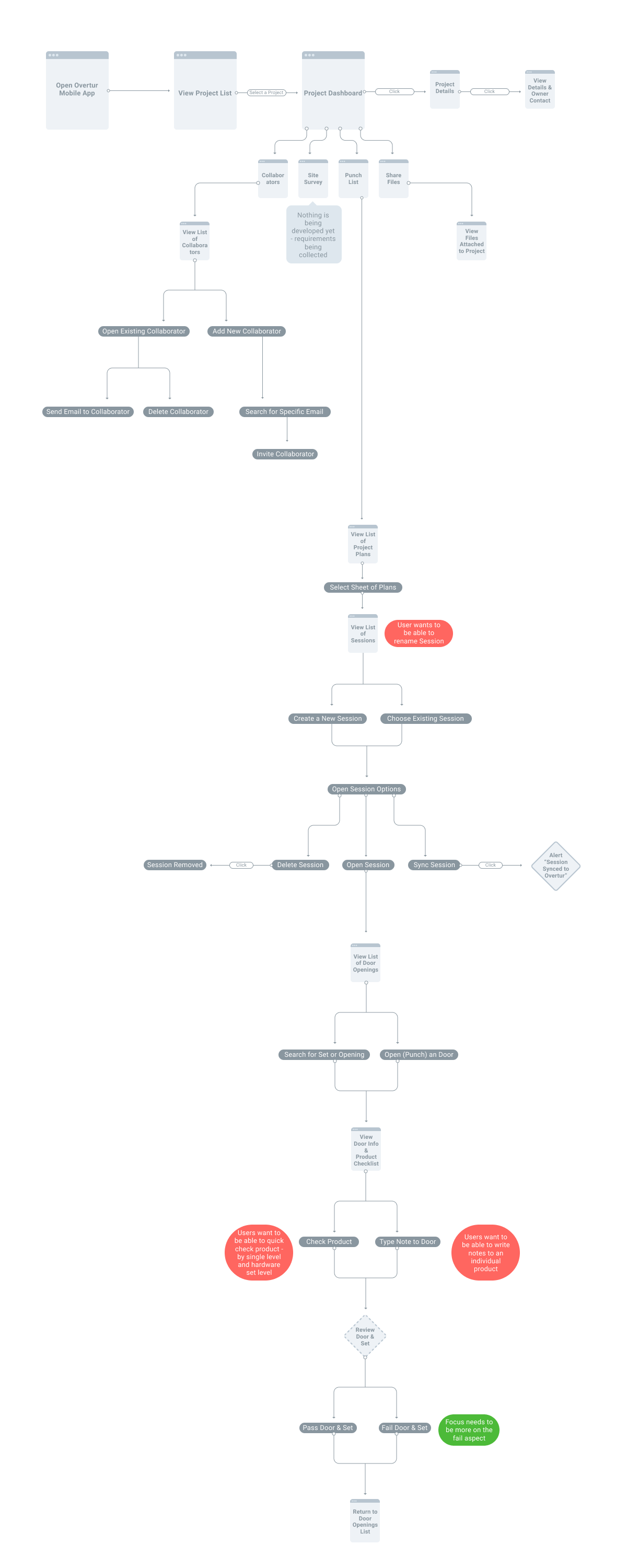
Task flow of completing an inspection in the mobile app.
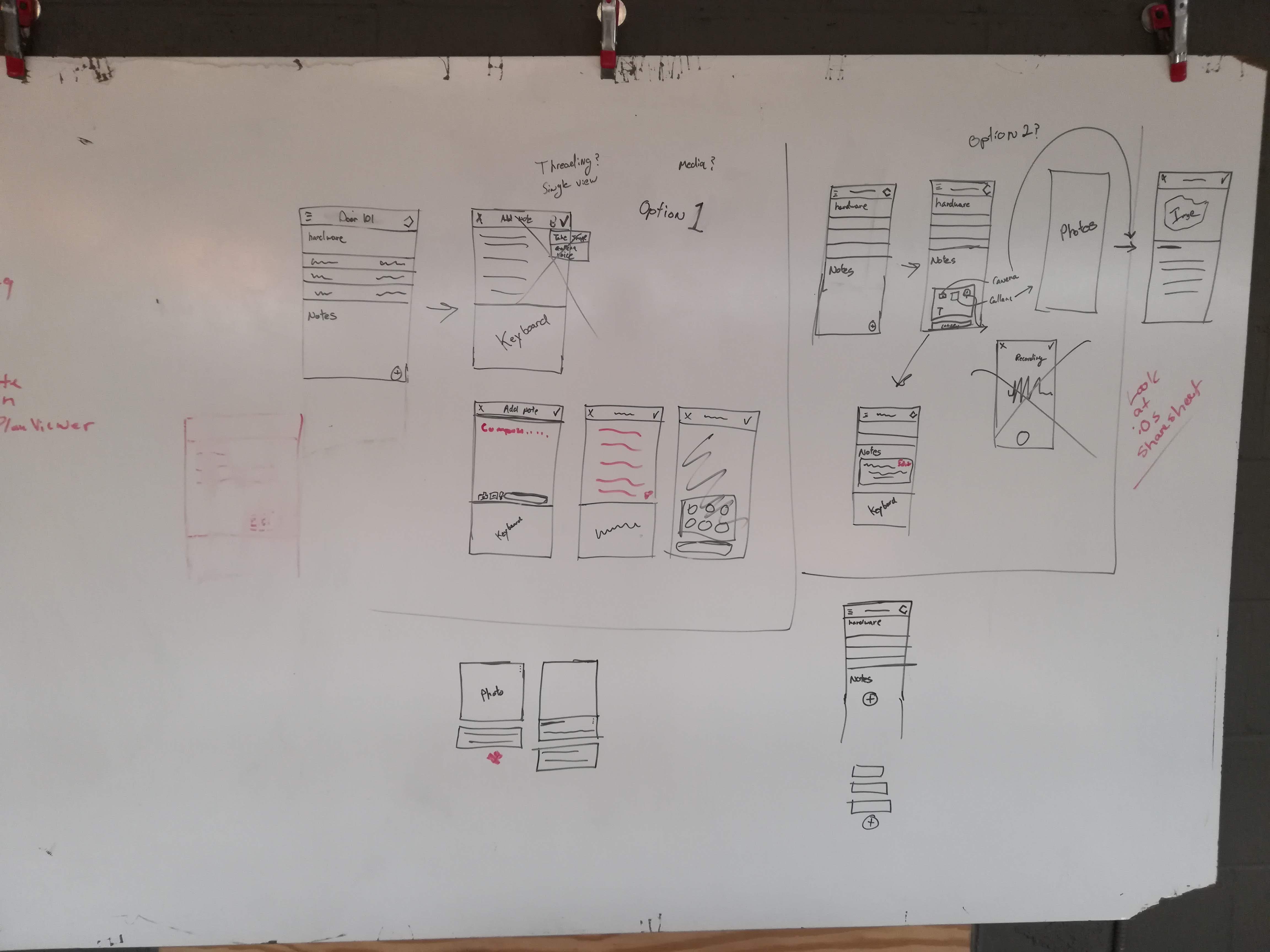
Quick white boarding session on how to work media and notes into the app during a jobsite shadowing session.

Ideation session with the mobile app prototype - specifically around notifications and alerts.
Key Features Included
- A streamlined inspection flow that reduced taps and task time.
- A hardware and building plan viewer designed specifically for small screens.
- Integrated photo and note capture within inspections.
- Offline-first syncing with automatic updates when connectivity returned.
- Real-time sync with data between web and mobile
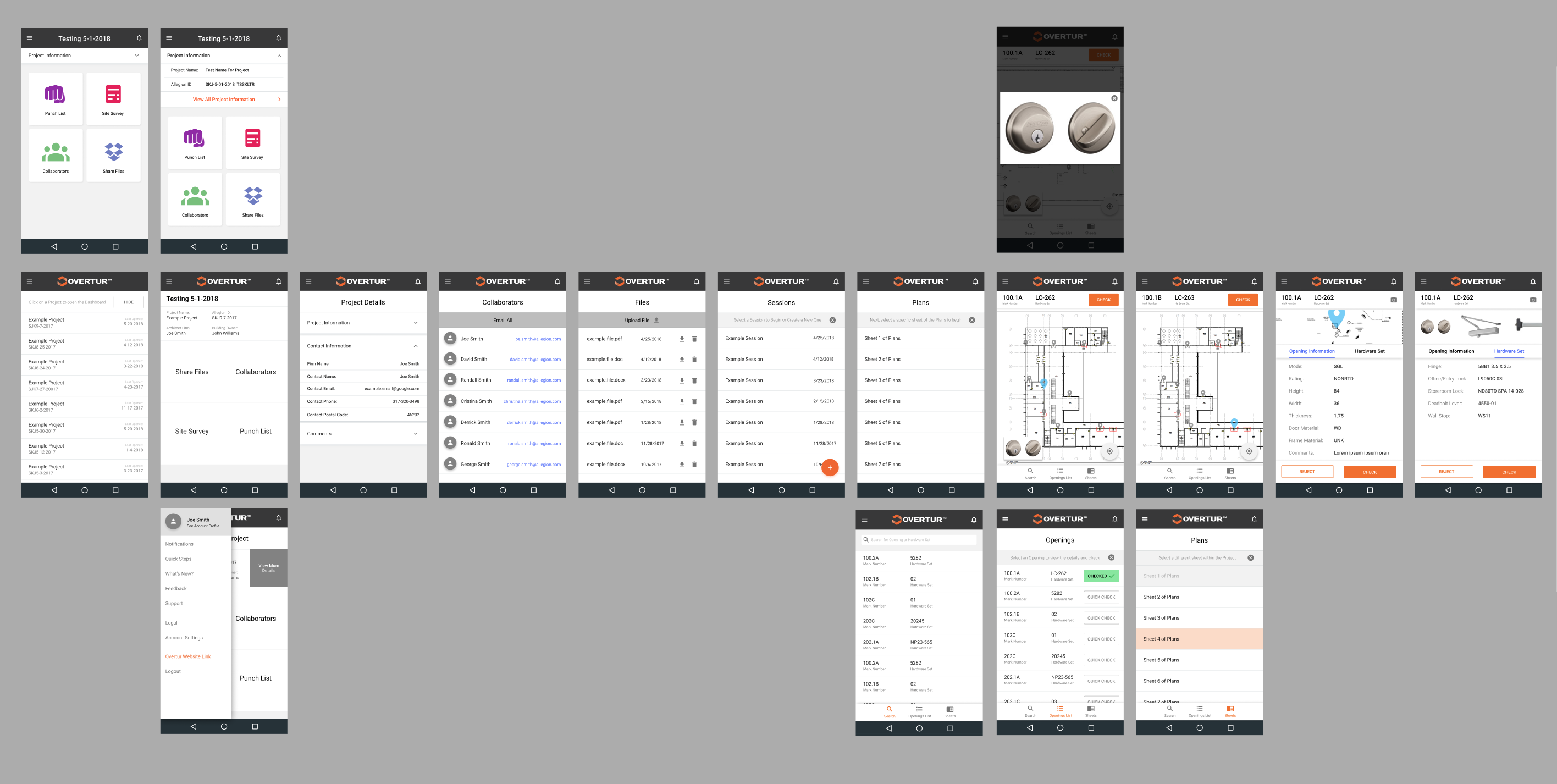
Screen layout for the first pass of a prototype for the mobile app.
Validating With Real-World Scenarios
I assisted in conducting usability tests and early pilot programs were conducted with active field teams on real jobsites.
Testing revealed that:
- Reliable offline sync was critical to adoption.
- Industry-specific terminology improved task completion and confidence.
- Simpler navigation consistently outperformed feature-dense alternatives.
Testing revealed that:
- Reliable offline sync was critical to adoption.
- Industry-specific terminology improved task completion and confidence.
- Simpler navigation consistently outperformed feature-dense alternatives.
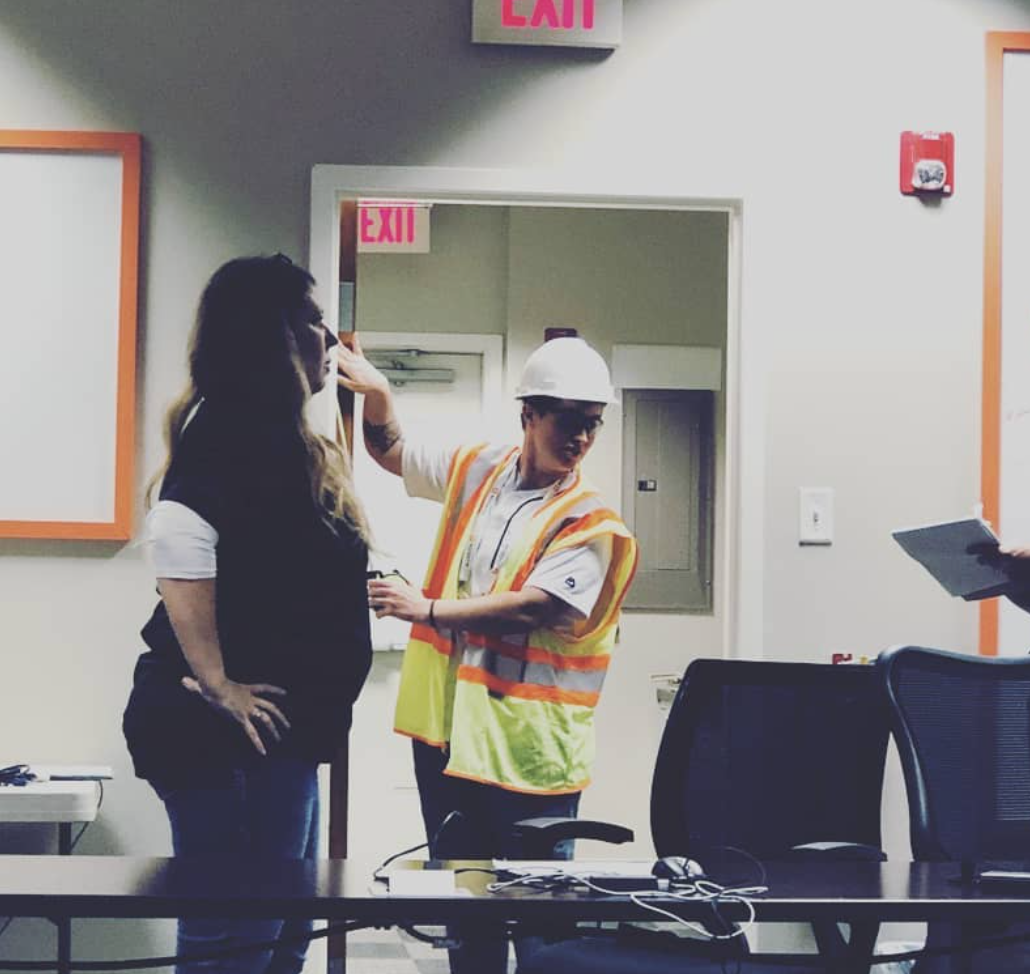
Completing a comparison of "paper versus app" method on-site.
04/Launch and Iterations
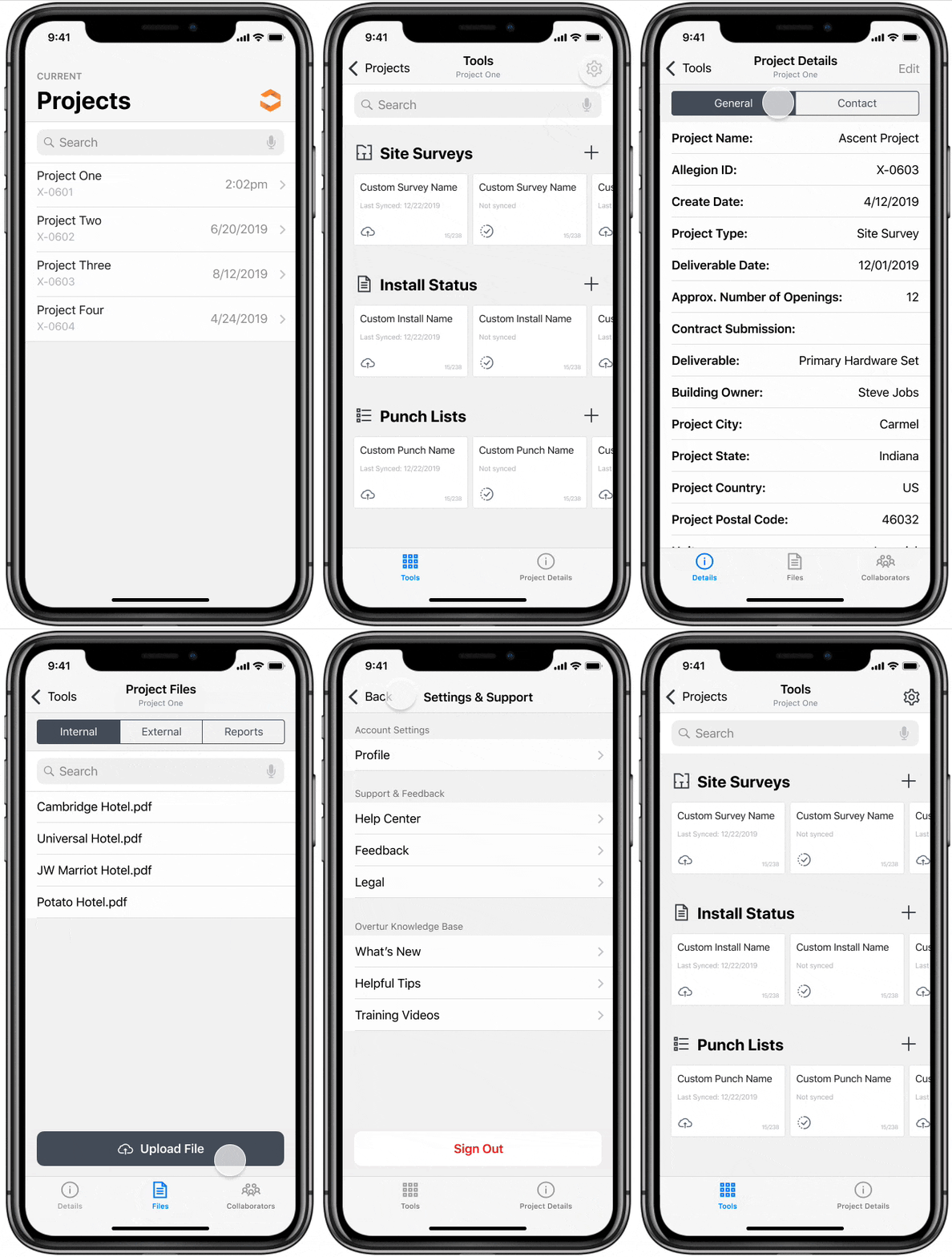
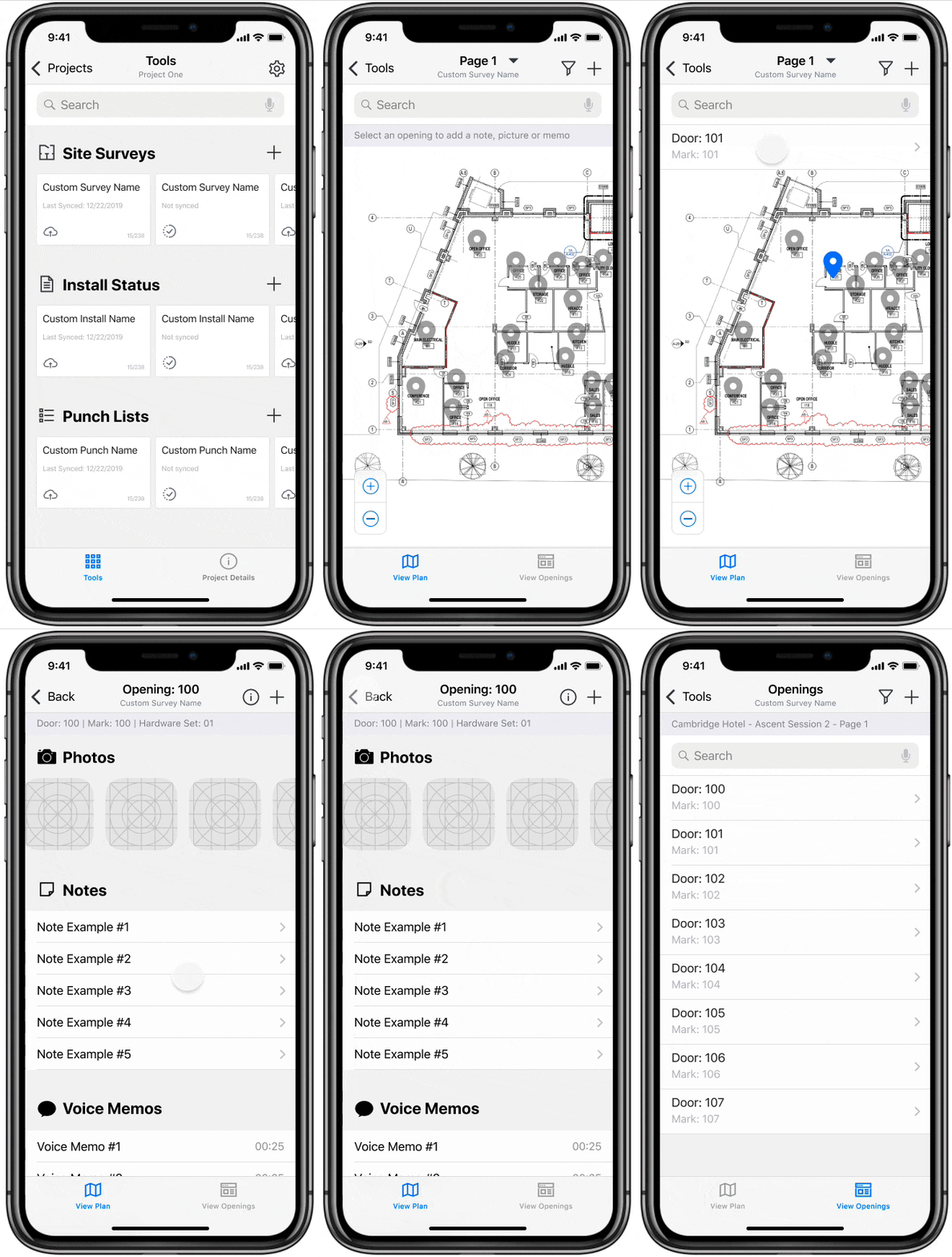
Overtur Mobile launched in 2018 - also going through re-designs in 2019 (below) and 2022.
"I believe tools like this can be a game changer for our teams in terms of practical gains in productivity," - BIM Manager
Post-Launch Success
Post-launch and for several years after, I continued iterating based on real user feedback such as improving offline performance initiatives, search and filtering functions, inspection workflows, photo documentation, and sync reliability as projects scaled.
Overtur Mobile became the connective tissue between office and field—reducing rework.
By designing the end-to-end process through design-thinking, the app transformed a fragmented field process into a clear, consistent, and resilient digital experience built for real-world use.
View Figma FileRelease ArticleOvertur Mobile became the connective tissue between office and field—reducing rework.
By designing the end-to-end process through design-thinking, the app transformed a fragmented field process into a clear, consistent, and resilient digital experience built for real-world use.
Post-Launch Success
This was my first project designing a mobile app, transitioning from a background in responsive web design. Through user feedback and testing, I recognized that I still had room to grow in mobile application design.
This project also gave me valuable insight into the business side of design. I learned the importance of not only meeting business requirements but also ensuring that the user’s perspective is represented throughout the process. Clear and consistent communication became increasingly important, especially as the business team expanded and transitioned project ownership.
Once the functionality was finalized and validated by users, what I took away from the experience is that project teams change and business requirements need to be balanced with user needs.
And that I now love to design for mobile experiences!
This project also gave me valuable insight into the business side of design. I learned the importance of not only meeting business requirements but also ensuring that the user’s perspective is represented throughout the process. Clear and consistent communication became increasingly important, especially as the business team expanded and transitioned project ownership.
Once the functionality was finalized and validated by users, what I took away from the experience is that project teams change and business requirements need to be balanced with user needs.
And that I now love to design for mobile experiences!